mirror of
https://github.com/Akku-Craft/schematics.git
synced 2026-11-04 01:22:25 +00:00
Hardware schematics and electronic circuit designs.
| Filename | Latest commit message | Latest commit date |
|---|---|---|
| Schaltplan-backups | ||
| .gitignore | ||
| CONTRIBUTING.md | ||
| LICENSE | ||
| README.md | ||
| Schaltplan.kicad_pcb | ||
| Schaltplan.kicad_prl | ||
| Schaltplan.kicad_pro | ||
| Schaltplan.kicad_sch | ||
| Schaltplan_old.kicad_sch | ||

Akku-Craft Schematics
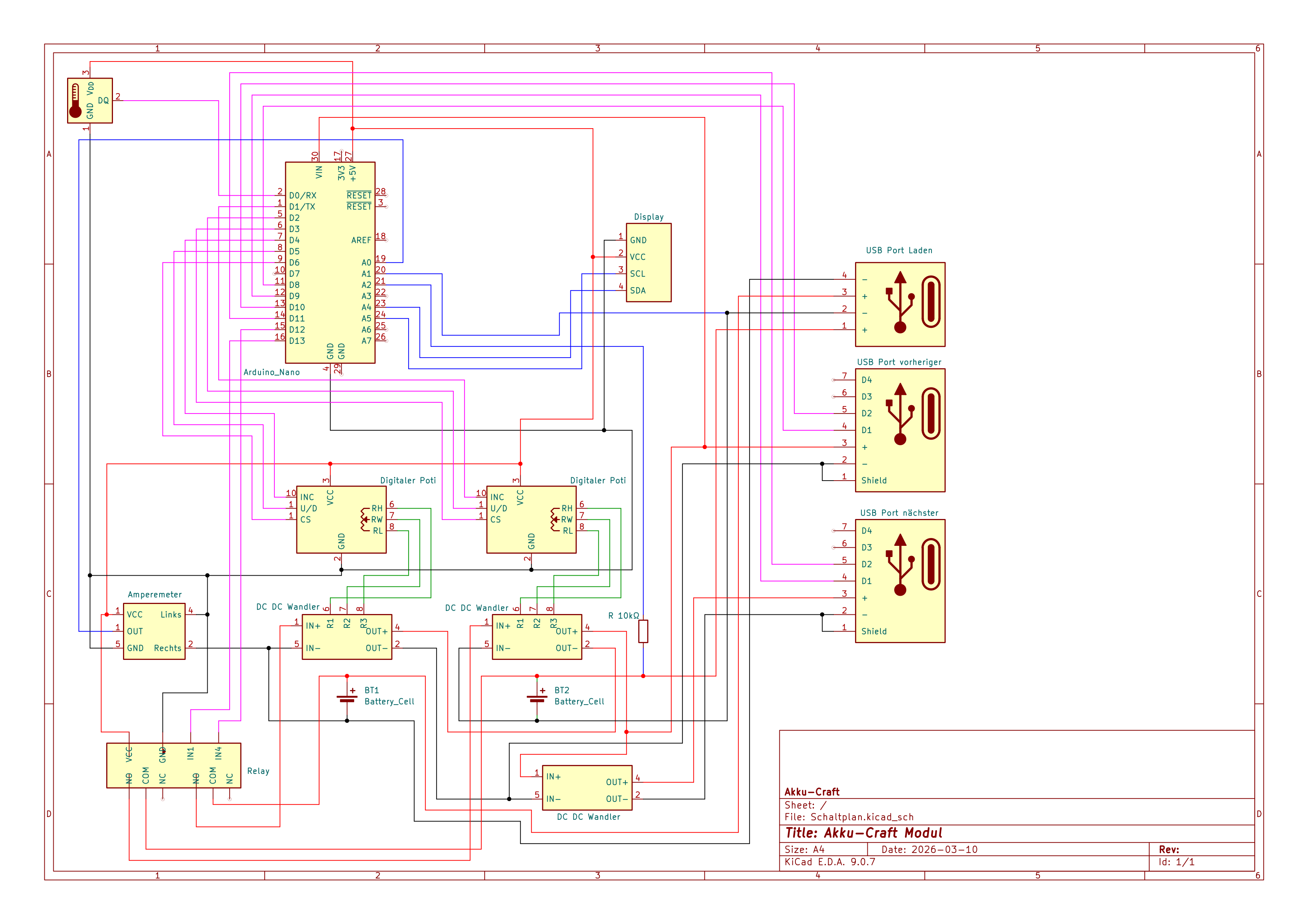
Schematics and PCB layout files for the Akku-Craft hardware platform.
This repository contains the electrical design source used for battery management and monitoring hardware development.
Scope
This repo focuses on:
- Schematic design (
.kicad_sch) - PCB layout (
.kicad_pcb) - KiCad project configuration (
.kicad_pro)
Firmware, web, and mechanical assets are maintained in separate repositories.
Requirements
- KiCad 9.x (recommended)
- Git for version control
Download KiCad: https://www.kicad.org/
Quick Start
- Clone this repository.
- Open
Schaltplan.kicad_proin KiCad. - Work from the project root (do not move files out of this directory).
Repository Structure
Schaltplan.kicad_sch      # Main schematic
Schaltplan.kicad_pcb      # PCB layout
Schaltplan.kicad_pro      # KiCad project file
Schaltplan.kicad_prl      # KiCad local project settings
Schaltplan-backups/       # Automatic KiCad backups
Recommended Workflow
- Create a branch for your change.
- Edit schematic and/or PCB in KiCad.
- Run ERC and DRC before opening a pull request.
- Keep commits focused and easy to review.
For contribution expectations, see CONTRIBUTING.md.
Backups
KiCad can generate backup archives in Schaltplan-backups/.
- Keep backups out of commits unless explicitly needed for recovery/documentation.
- If backup files are included intentionally, mention why in the PR description.
Documentation
- Project wiki: https://akku-craft.usbverkehrtherum.de/wiki
- Contribution guide: CONTRIBUTING.md
License
This project is licensed under the CC BY-NC-SA 4.0 license. See LICENSE for details.